
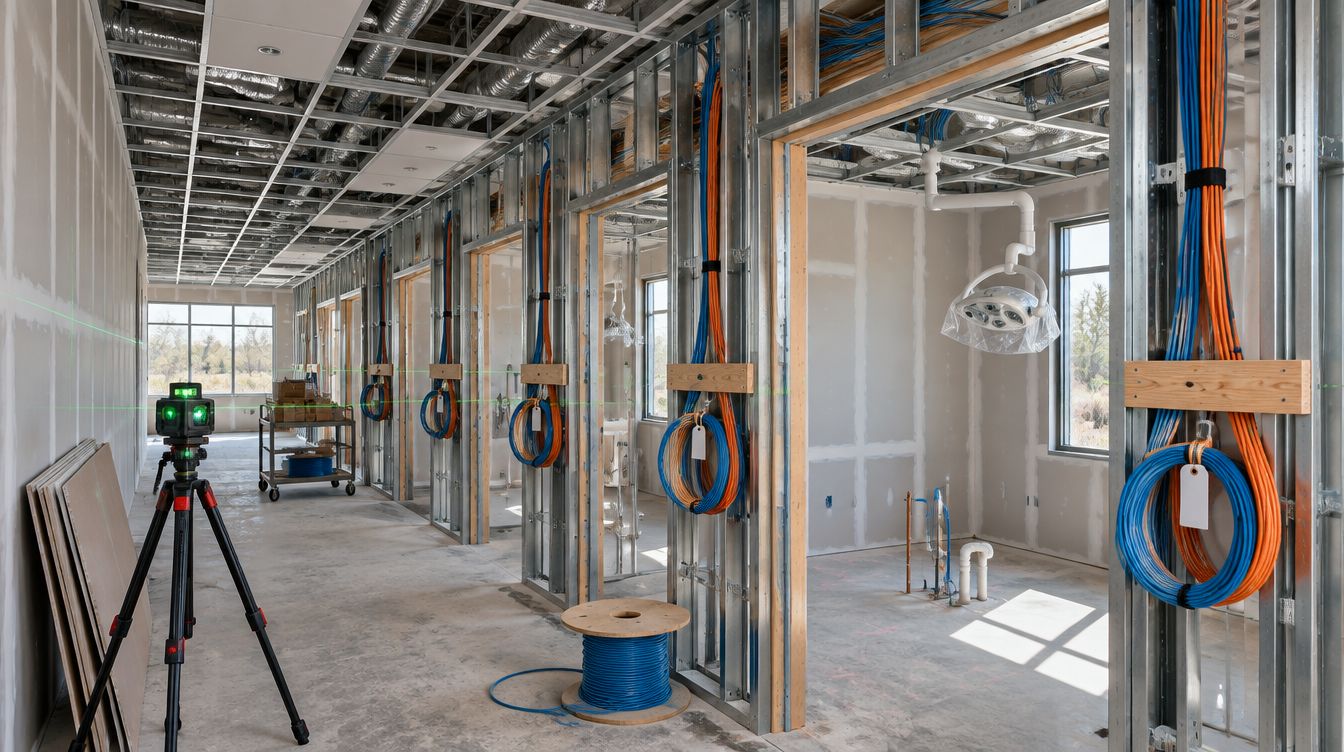
Office WiFi installation for a New York dental practice means ceiling access points wired back to the closet switch, a staff network for clinical tablets and laptops, and a patient network that reaches the internet and nothing inside. ClearMax technicians install it during the buildout and measure every room with the doors closed before handover.
Last updated: November 2026
Why is a busy building hard on dental WiFi?
A New York office floor is crowded radio space. Every tenant above, below and beside the practice runs its own networks, and in a dense building a laptop can see dozens of them. Inside the practice, the conditions are worse than in most offices:
- Shielded imaging rooms block WiFi as well as X-rays, so the room behind that wall needs its own coverage or a cable.
- Metal and equipment in every operatory absorb and scatter signal.
- Closed doors during procedures change coverage from what a walk-around with doors open suggests.
- Old masonry in pre-war floors stops signal that drywall would let through.
That is why access-point positions start on the drawing and are confirmed once walls and equipment are in.
What goes on WiFi and what stays on a cable?
| Device | Connection | Reason |
|---|---|---|
| Server, firewall, switch | Cable | Everything else depends on them |
| Operatory and imaging computers | Cable | Image files are large and captures should never wait on radio |
| Front desk computers, printers, phones | Cable | They do not move, and the schedule runs through them |
| Cameras and door readers | Cable | They must keep working when WiFi is busy |
| Staff tablets and laptops | Staff WiFi | They move between rooms |
| Patients' phones | Patient WiFi | Internet only |
Laying out the networks
- A firewall between the provider's line and the office, holding the rules that keep networks apart.
- A clinical network for the server and wired workstations, which no wireless guest can reach.
- A staff wireless network with its own credentials, changed whenever someone leaves.
- A patient network on its own segment, with devices isolated from each other.
- A camera and door segment, so an out-of-date camera is never a path to the server.
At handover a phone joins the patient network and tries to reach the server and the printers. Each attempt must fail, and the result goes in the record.
If the firewall logs staff browsing, who must be told?
Modern firewalls and WiFi controllers can record which sites each device visits. Some practices want that; others do not. In New York the choice carries a duty. Civil Rights Law 52-c requires an employer that monitors employees' telephone, email or internet use electronically to give prior written notice upon hiring, acknowledged by the employee. The same section requires the notice of electronic monitoring to be posted in a conspicuous place where the covered employees can see it. Section 52-c(4) excludes processes that manage the type or volume of email, voice mail or internet usage, are not targeted at a particular individual, and are performed solely for computer system maintenance or protection. Routine security filtering and the firewall's own threat logs usually sit in that carve-out; a report on what one employee browsed does not.
So logging is a setting the practice decides on, never something switched on by default. The handover record says plainly which logs exist, what they capture and how long they are kept, so the practice can write an accurate notice. The wording of the notice belongs with the practice's own counsel.
How many access points will the office need?
It depends on the walls more than the square footage, so a number without a floor plan is a guess. A long, narrow floor with operatories off one corridor may need fewer units than a compact layout wrapped around a central desk and a shielded imaging room. Capacity matters too: a full waiting room on a busy morning loads the network more than coverage maps suggest. Current units use the 2.4, 5 and 6 GHz bands; the higher bands carry more but pass through walls less well, so units are spaced for the higher bands to reach each operatory with the door shut, and channels are chosen around the neighbors.
What about the internet line itself?
The practice orders it, ideally the week the lease is signed, because a new circuit into an older building can take longer than any other item on the schedule. The plan names where the line must land, the closet, and asks the provider for the handoff there. A second, lower-cost line from a different provider keeps the front desk working if the first one fails, and the firewall switches between them on its own.
Handover checks
- Signal measured in every room, doors closed, equipment running.
- A device walked from end to end without dropping.
- Patient network reaching the internet and nothing inside.
- A switch restart, proving every access point returns on its own.
- Admin logins created in the practice's name and handed to the person it names.
The access points hang on the cabling plan, and the server they never touch is sized on the server requirements page.
WiFi questions from New York practices
Can the provider's router handle this?
It can get a few devices online. It is not built for separate networks, several access points or a written record, so a buildout uses dedicated equipment.
Is patient WiFi required?
No. If you do, it runs on its own network with its own password, changed on a schedule.